December 28 2024
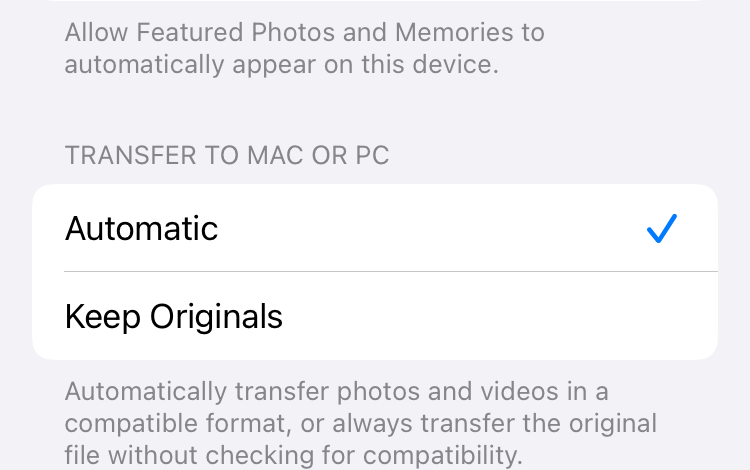
This morning while perusing the settings of a bunch of apps on my iPhone, I discovered a new setting for Photos that was enabled by default: Enhanced Visual Search. (I manually disabled it before taking the screenshot below.)

This setting is also new to Photos on macOS Sequoia, and enabled by default.

Oddly, this new feature has mostly gone unmentioned in the Apple news media, according to Google. Moreover, it has also mostly gone unmentioned by Apple itself, according to Google. There appear to be only two relevant documents on Apple’s website, the first of which is a legal notice about Photos & Privacy:
Enhanced Visual Search in Photos allows you to search for photos using landmarks or points of interest. Your device privately matches places in your photos to a global index Apple maintains on our servers. We apply homomorphic encryption and differential privacy, and use an OHTTP relay that hides IP address. This prevents Apple from learning about the information in your photos. You can turn off Enhanced Visual Search at any time on your iOS or iPadOS device by going to Settings > Apps > Photos. On Mac, open Photos and go to Settings > General.
The second online Apple document is a blog post by Machine Learning Research titled Combining Machine Learning and Homomorphic Encryption in the Apple Ecosystem and published on October 24, 2024. (Note that iOS 18 and macOS 15 were released to the public on September 16.)
At Apple, we believe privacy is a fundamental human right. Our work to protect user privacy is informed by a set of privacy principles, and one of those principles is to prioritize using on-device processing. By performing computations locally on a user’s device, we help minimize the amount of data that is shared with Apple or other entities. Of course, a user may request on-device experiences powered by machine learning (ML) that can be enriched by looking up global knowledge hosted on servers. To uphold our commitment to privacy while delivering these experiences, we have implemented a combination of technologies to help ensure these server lookups are private, efficient, and scalable.
Of course, this user never requested that my on-device experiences be “enriched” by phoning home to Cupertino. This choice was made by Apple, silently, without my consent.
From my own perspective, computing privacy is simple: if something happens entirely on my computer, then it’s private, whereas if my computer sends data to the manufacturer of the computer, then it’s not private, or at least not entirely private. Thus, the only way to guarantee computing privacy is to not send data off the device.
I don’t understand most of the technical details of Apple’s blog post. I have no way to personally evaluate the soundness of Apple’s implementation of Enhanced Visual Search. One thing I do know, however, is that Apple computers are constantly full of privacy and security vulnerabilities, as proved by Apple’s own security release notes. You don’t even have to hypothesize lies, conspiracies, or malicious intentions on the part of Apple to be suspicious of their privacy claims. A software bug would be sufficient to make users vulnerable, and Apple can’t guarantee that their software includes no bugs. (To the contrary, Apple’s QA nowadays is atrocious.)
It ought to be up to the individual user to decide their own tolerance for the risk of privacy violations. In this specific case, I have no tolerance for risk, because I simply have no interest in the Enhanced Visual Search feature, even if it happened to work flawlessly. There’s no benefit to outweigh the risk. By enabling the “feature” without asking, Apple disrespects users and their preferences. I never wanted my iPhone to phone home to Apple.
Remember this advertisement? “What happens on your iPhone, stays on your iPhone.”

That was demonstrably a lie.
On macOS, I can usually prevent Apple software from phoning home by using Little Snitch. Unfortunately, Apple doesn’t allow anything like Little Snitch on iOS. Allegedly, the iOS restrictions are to protect the privacy and security of users, but I feel the opposite, that Apple is actively preventing us from protecting ourselves.