Windows 11 – There’s still nothing worth my time
Updated: January 15, 2025
Dedoimedo here, reporting for my periodic dose of masochism. Every few months, I power on my test
laptop, which has Windows 11 installed on it (in a dual-boot setup), and I check whether anything has
cardinally changed in this system. My latest escapade,
back in September, was rife with problems.
But it’s not all gloomy. I recently read an article on The Register, which shows that not only has
Windows 11 user share
not grown,
it has shrunk! Ah. Beautiful.
Music to my ears. After all, I love reading the AI-flavored marketing self-hype by various big-shot
executives, side by side with a nice bundle of hard reality check. But it makes sense. Windows 11 is
useless, the file manager is slow, Settings is
not as good as Control Panel, and hardware
requirements prevent people from “upgrading”. Well, well, well. Karma and all that. Shall we?
A little side note …
Before I dig into the gist of my own testing, just a wee reference to Microsoft’s hardware
requirement mantra. Apparently, Microsoft has decided to stick with its business plan, statistics be
damned. ‘Tis a game of who blinketh first, the customer or the arbitrary TPM thingie. Now, Microsoft
also set the minimum processor version as a requirement, and that’s sort of okay (in my perspective).
But the TPM nonsense potentially marks even rather new and ultra-powerful computers as unsuitable for
the upgrade.
Well, it does not seem to be working, this approach. If there was one good thing about the 2020-2021
period, it’s that it taught people to be more frugal with their electronics spending, as apparently
even OLD laptops can send emails and show useless Powerpoint presentations just as well as brand new
ones.
Like many a techie, I read
the article by Microsoft on how TPM 2.0 is necessary for security and all that. Yawn. But you
know, marketing language aside, even if that article is 100% true and correct, and how TPM is a
non-negotiable requirement and all that, there was one thing in that entire story that completely ruins
its own narrative. It’s this part:
Check the TPM status of your devices
As an IT admin, you’re responsible for ensuring the security and
compliance of your organization’s IT infrastructure.
Ah. AH! I’m not an IT admin. I’m a home user. I don’t care what enterprises do in their
infrastructure. And like me, bajillions of home users don’t need to know and care about ANYTHING
written in that article. For home users, TPM is not only negotiable, it’s completely irrelevant.
So all those high and mighty words about security, which is, by the way, often overrated, means
nothing at all for the common grunt. Also, security, as we see every day, is all about backend
infrastructure, like telcos not getting hax0red, amirite, and not about home users. After all, in my
three decades of computing, 100% of harm to my “computing estate” came from companies being lax with
their data in their “clouds”, not from any movie-like hax0rology on my local systems.
So, TPM, necessary? No. Not at all. Could it be useful? Perhaps, but I doubt it.
There’s another piece of self-contradiction in that article – BitLocker uses TPM 2.0 for encryption
key storage. Amazing, except, again, HOME users cannot even run this BitLocker thingie, even if they
want. Just check my article on the sad state of Windows (September update above), to see a plenty
of lovely screenshots around this BitLocker nonsense.
Now, my testing …
OK, as always I started with some updates. For a change, this time around, the process was quick and
relatively painless. I didn’t suffer the tribulations that I witnessed three months ago. In fact, I was
pleasantly surprised by how quickly the procedure worked.

On the plus side, I also didn’t need to go and fix my privacy posture. The stuff stayed.
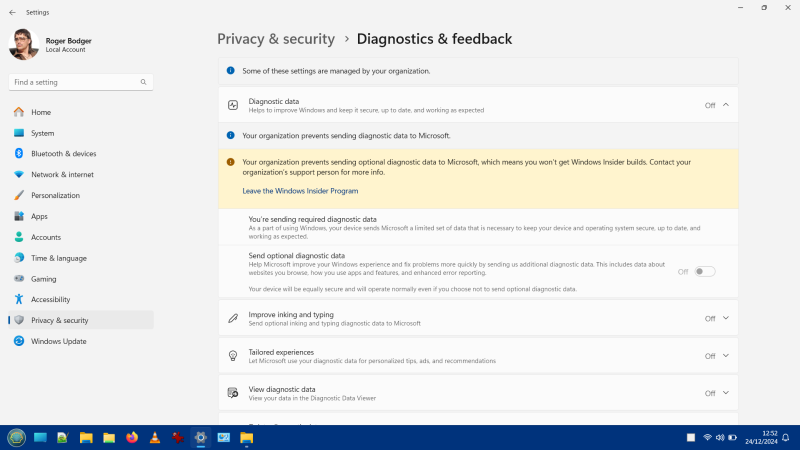
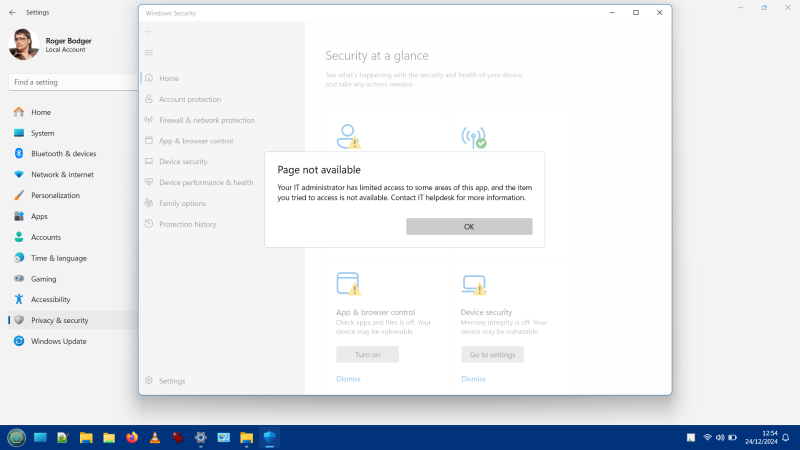
For example, I purged Windows Defender totally, by booting into Linux and deleting all its folders,
and it wasn’t reinstalled. As it should be. But then, when you think about it, if the system has TPM
and encryption, and it’s configured in a “clever” way, then you can’t have this lovely freedom of
deleting unnecessary stuff, now can you?
But, but, but, you can never relax. There’s now an option for apps to override your location choice!
After all, you must submit your data to the Big Brother, so you can be properly analyzed and profiled.
You don’t want the big companies to have lower profits because of you, now do you, naughty nerd?
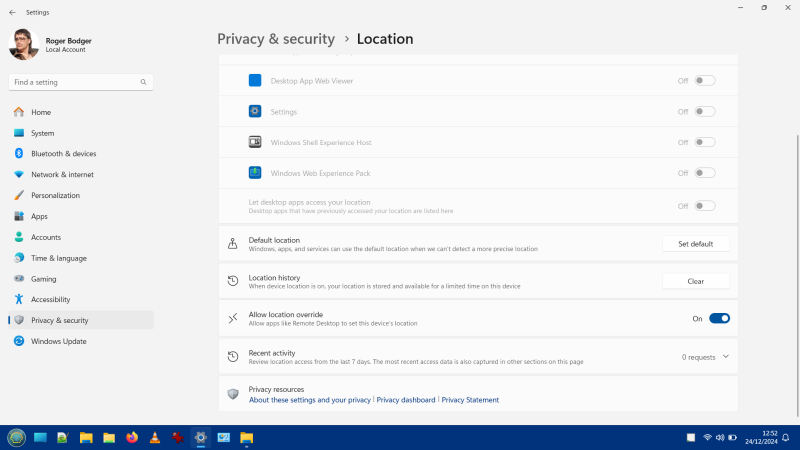
Why would this be an option even? Why allow apps to override a PRIVACY setting? It’s like saying,
you’re allergic to peanuts, but ALLOW waiters to ignore your request, cor. This is becoming so
ridiculous I’m struggling to find words to describe my utter disdain and contempt for these low-IQ
games.
Explorer patching
I wrote about how to make Windows Explorer faster,
more responsive a couple of times. Early on,
you could actually revert to the old, classic thing, but no more. I tried any number of tricks and
registry tweaks, but nothing works. You are stuck with the new file explorer, with its slow, slow,
stupid interface.
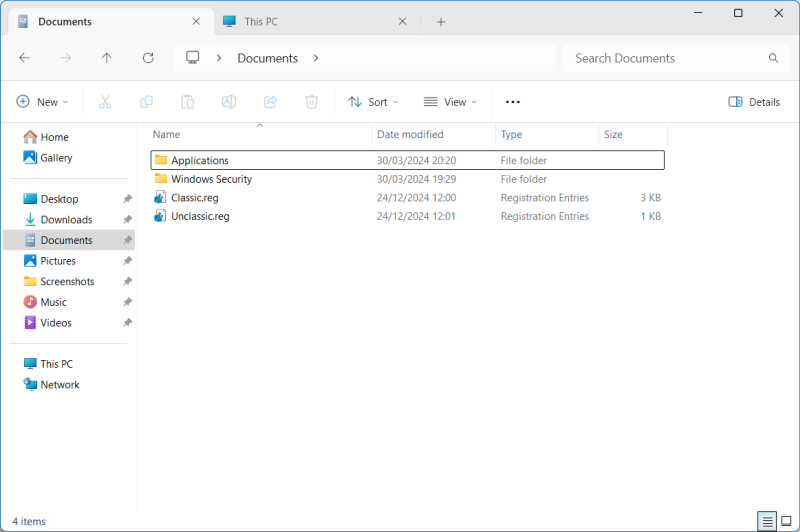
Why am I so negative, you ask? Well, reasons:
- The Windows 11 Explorer titlebar is always colored depression-gray no matter what accent color
you choose. This makes it impossible to distinguish between foreground and background windows.
Perhaps this is a bug, but it’s still a huge aesthetic problem. I want colors, I want clarity, I
want good ergonomics, and I don’t have any of those. - The Windows 11 Explorer is slow. Open it, you can SEE the rendering of elements. Open a new
tab, you can SEE the rendering, all over again. Every single time. It takes about a second, perhaps
more, to show the UI. This is a travesty. My test laptop is reasonably powerful, it has an SSD (not
that this should matter much in this case, as all of the visual elements should be loaded into
memory). The old Explorer? The crummy single-tab one? That one used to open instantly. Blink, done.
And this is what makes the new tabbed interface a FAILURE of colossal magnitude. Combine the lag
with the aesthetic gimping, and it’s awful.
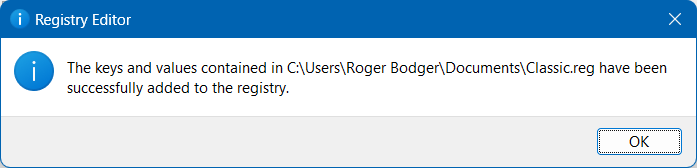
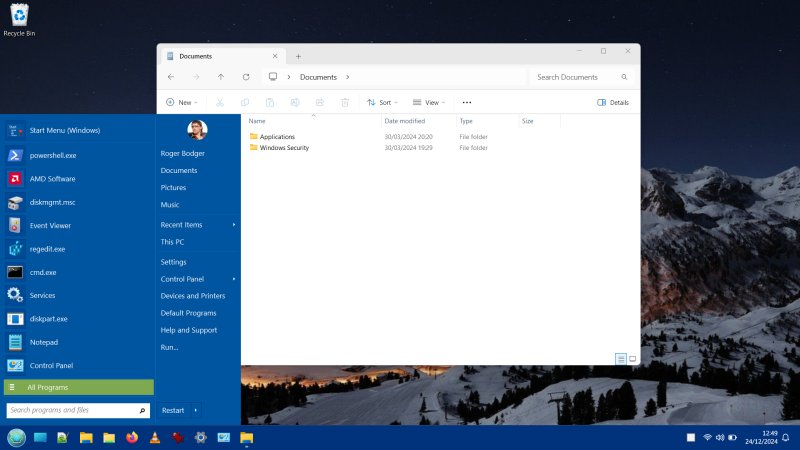
At least Open-Shell works correctly, and hasn’t been undone by the updates.
Annoyances
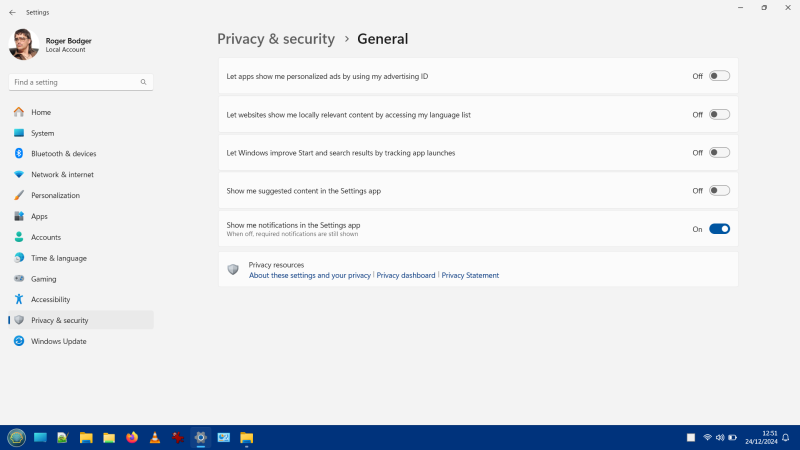
On the plus side, you can now disable “notifications” in Settings, or at least, most of them.
But then, the overall low-IQ approach remains.
For example, this is from the main page of Settings:
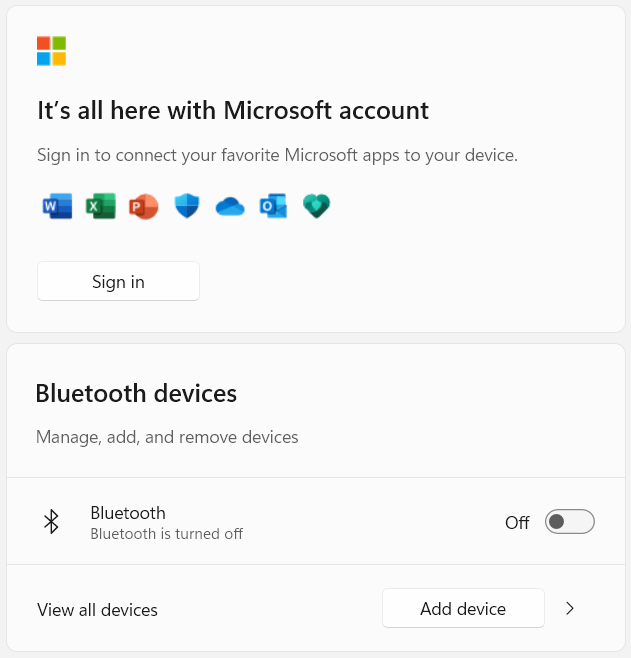
Just look at those soulless marketing slogans. “It’s all here.” What’s all here? The plague? The
Vandals? The Spanish Inquisition? What? “Connect your … apps to your device.” What? What does that
even mean in plain human English? How’s that even a sentence? Connect? How can you connect software to
hardware?
The “insistence” on YER DATA is almost fanatical. Sign in, Bluetooth nonsense. I don’t believe in
conspiracy theories, but this whole Web 2.0/3.0 whatever enumeration of our lives is utterly ridiculous
and annoying and pointless and stupid. I don’t care. I don’t want to be part of the mindless hive.
Leave me alone.
Other stuff?
Well, not much. I didn’t bother using this system, because it makes me feel stupid. The basics sort
of work, but that’s a pretty low bar to aim for. The responsiveness of the “modern” stuff remains
horrible. Explorer, the new system tray. Click, and wait, because stuff gotta be rendered. Awful
optimization, awful code. Also, awful ergonomics. Overall, this is just another iteration of failure.
Iteration, that’s a modern word developers like to use, but what it actually means is, instead of
making something right once, you do a mediocre job many times over.
Conclusion
It is time to bring another jolly article to its end. What did we learn today? Not much. Plenty.
Stupidity prevails. Windows 11 remains useless, the new tabbed Explorer fails its most basic of tests,
the system is still rife with nonsense and pointless features, and there’s nothing redeeming about it.
As the market share numbers show, as I told you would happen. Oh am I basking in smugness. Windows 10
still, STILL has twice as many users, and that share is actually growing. That’s all you need to need
about this modern new operating failure of a system. That’s it. That is it.
Having applied the December patches, I didn’t encounter any great issues. The updates were fast, for
a change. My privacy posture wasn’t harmed. There are still snags, though, so you always must be
vigilant. If you used to patch your Explorer, it ain’t gonna work no more. No crashes, but no
improvements either. All in all, a meaningless chapter in a meaningless story.
Cheers.